14-day free trial · no card to start Free while we’re in early access · no card, no clock
The calm little corner of the internet that belongs to your family
One screen with the day on it — the calendar, the messages, the photos, what’s for dinner on Sunday — at a private address that is yours alone. No feed, no strangers, no algorithm. Everyone in the family gets their own login and their own look, wherever they live.
$9.99/mo after the trial · every member free, wherever they live · renews monthly until you cancel
$9.99/mo
Free for a limited time · every member
free, wherever they live · cancel any time
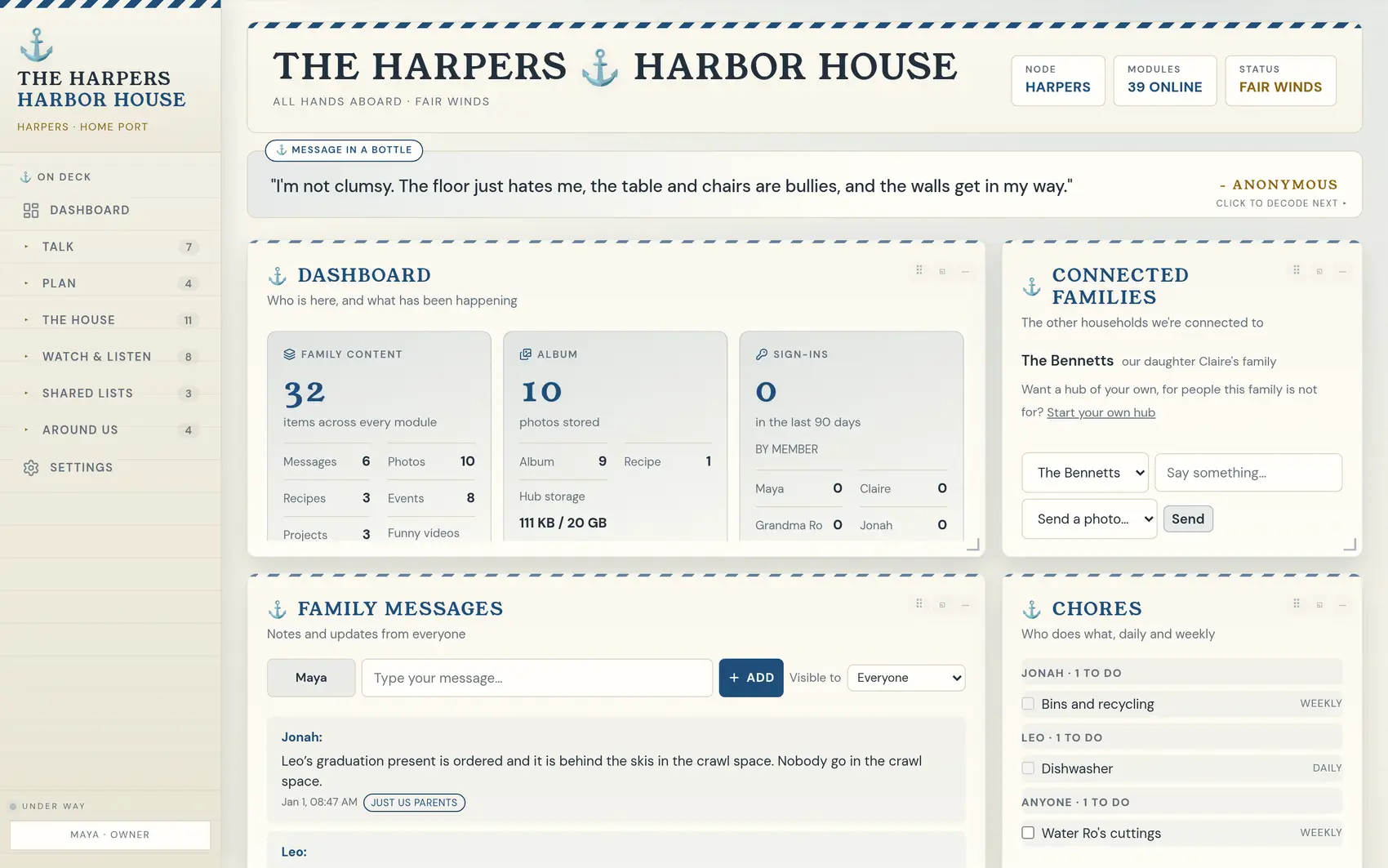
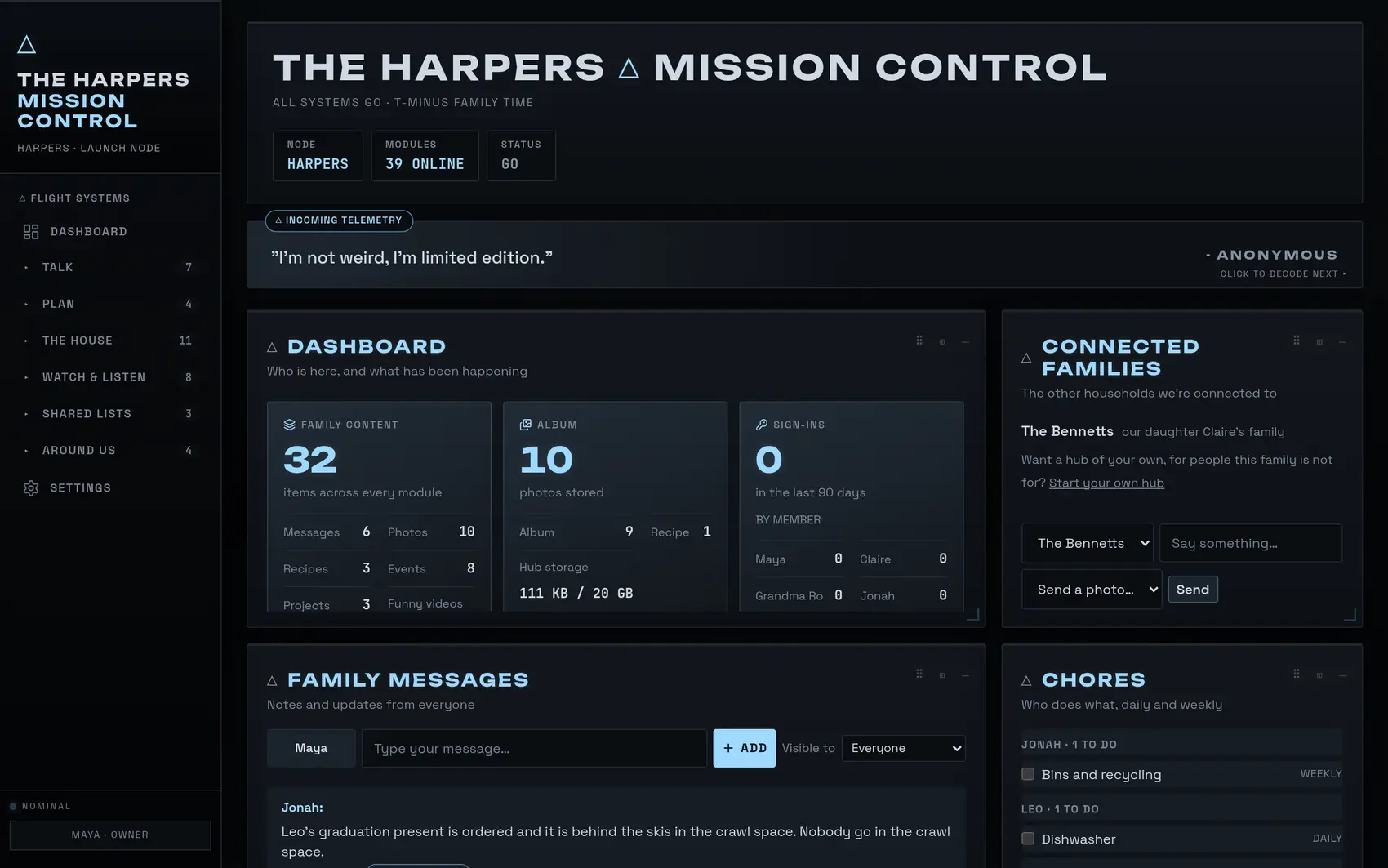
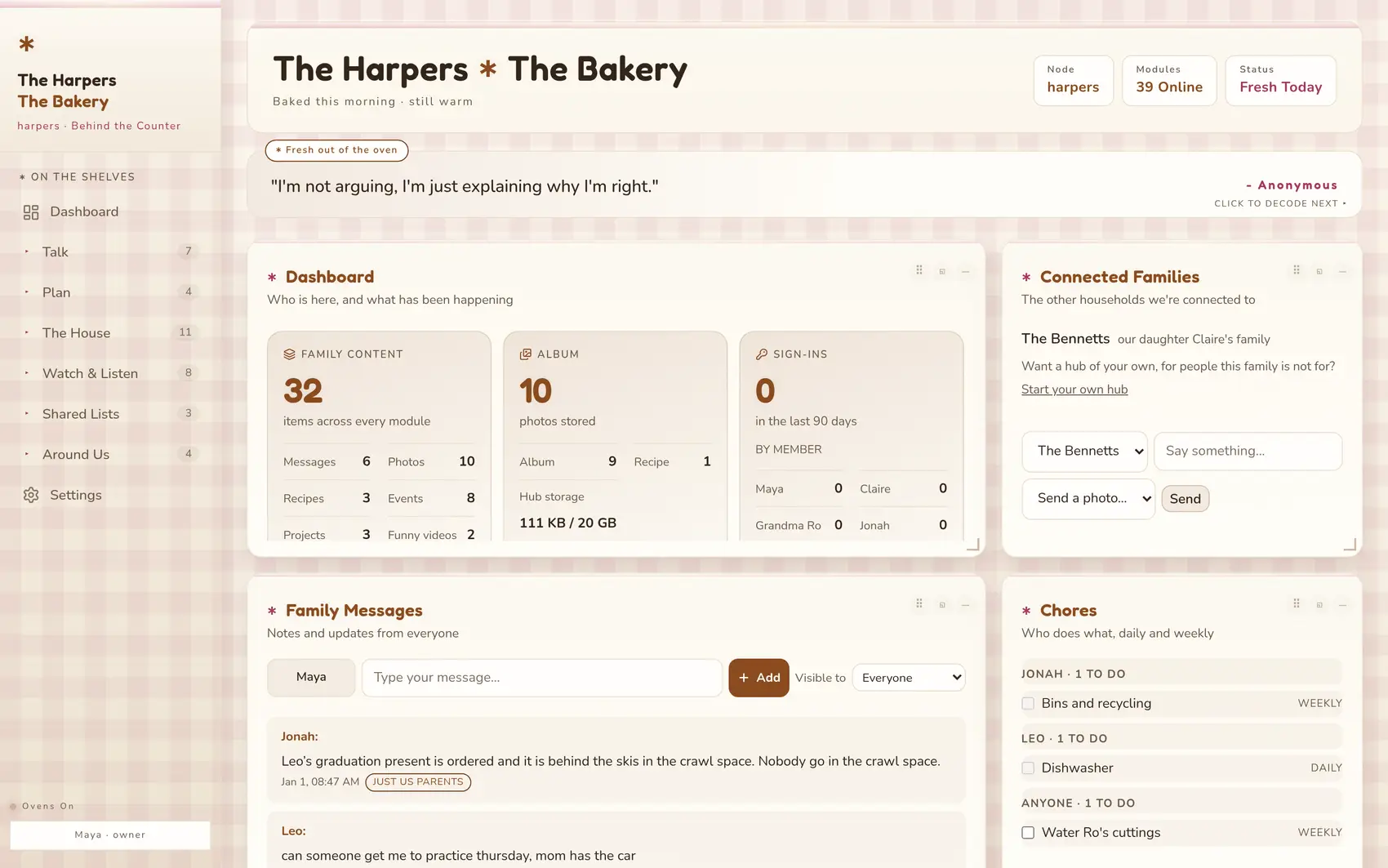
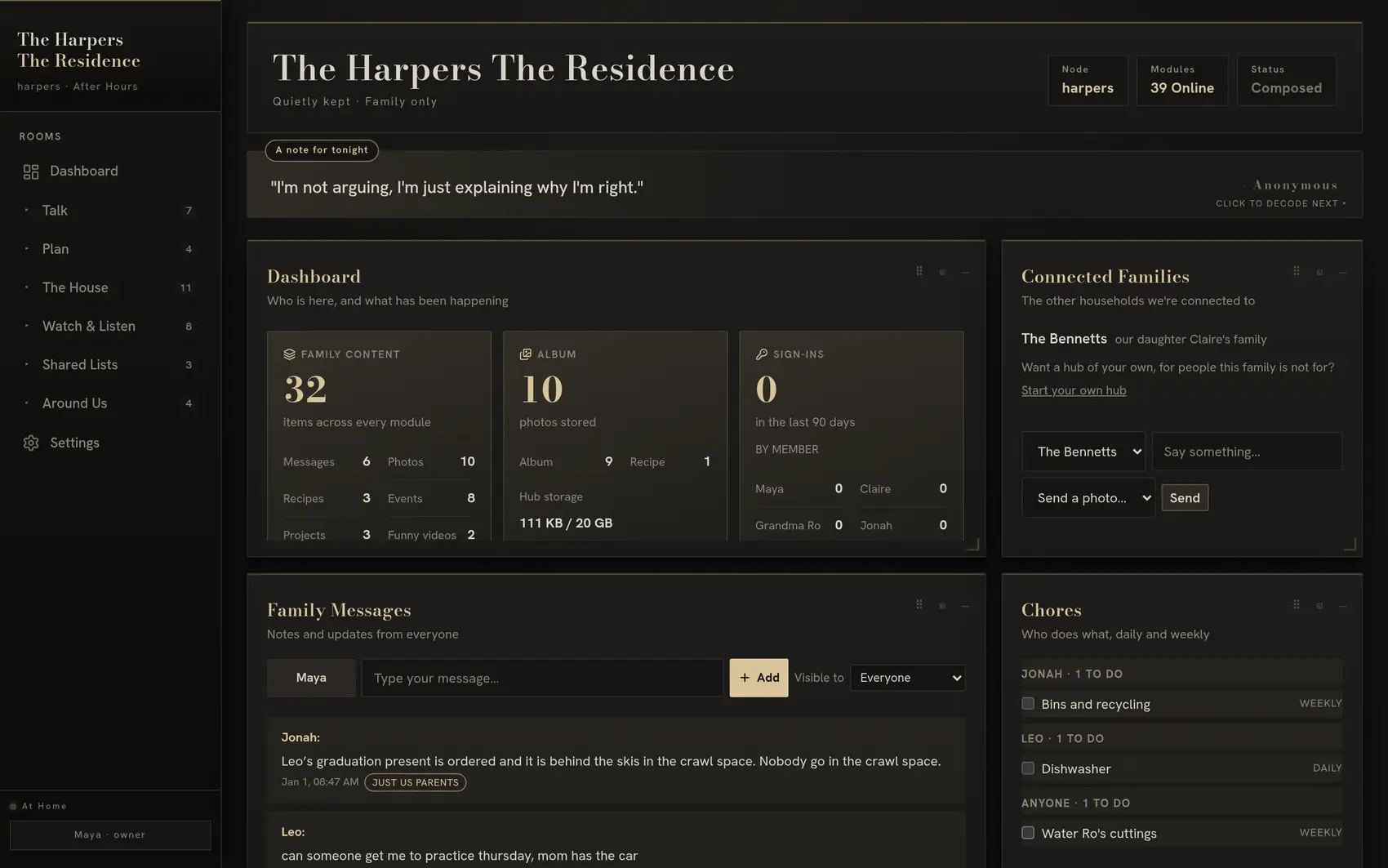
Still one family. Five zip codes.
A dorm room, a first apartment, the house you raised them in, and a nursery two towns over. Latch & Lantern is where a spread-out family still shares the same day — everyone sees what’s coming up, what’s for dinner on Sunday, and the photo of the baby that went up an hour ago.
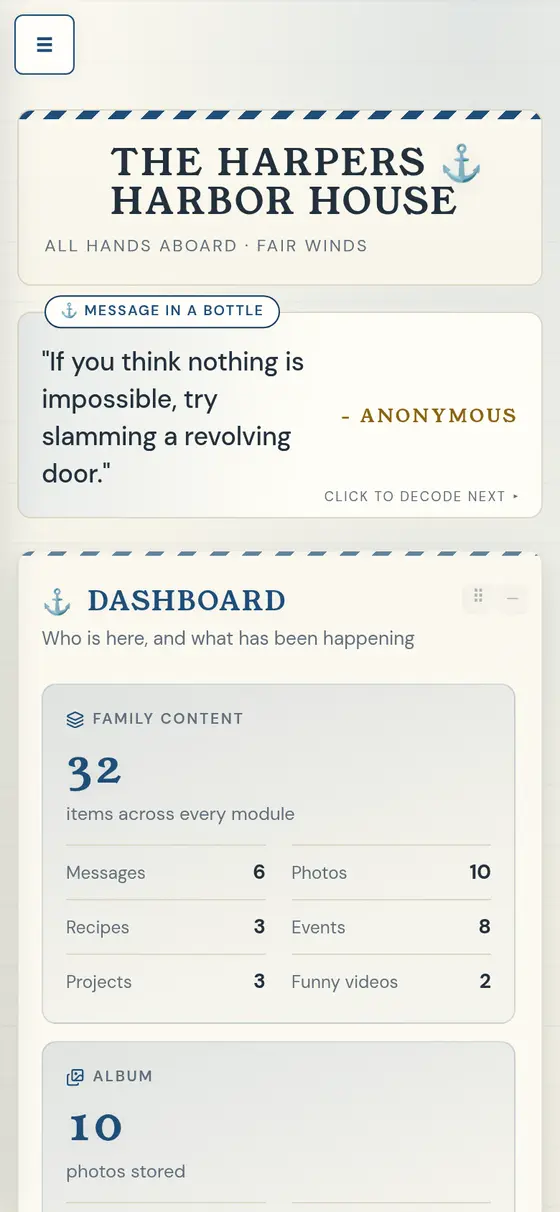
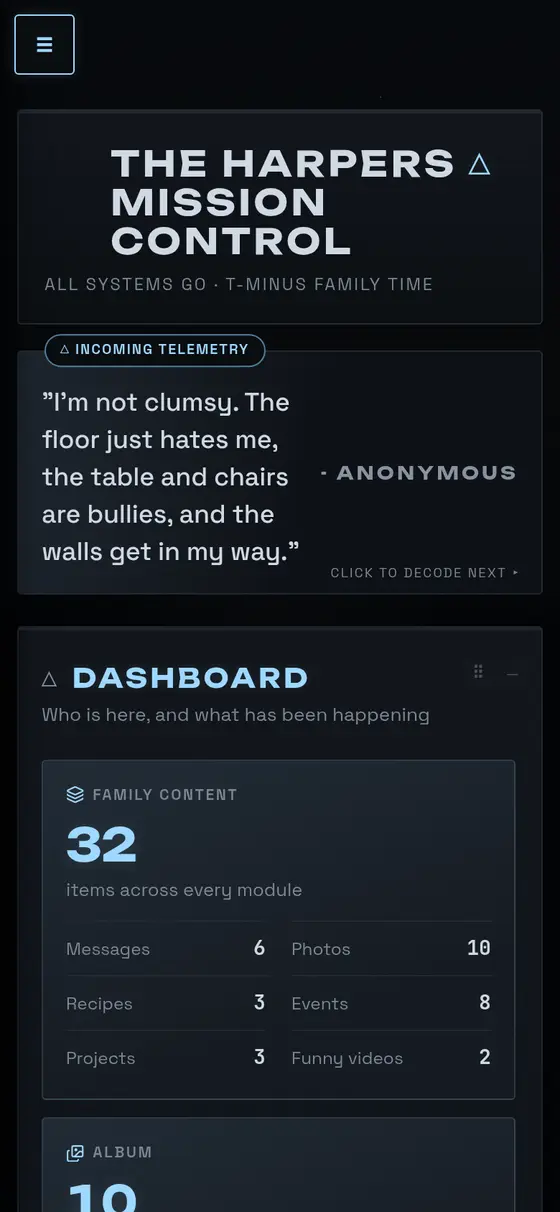
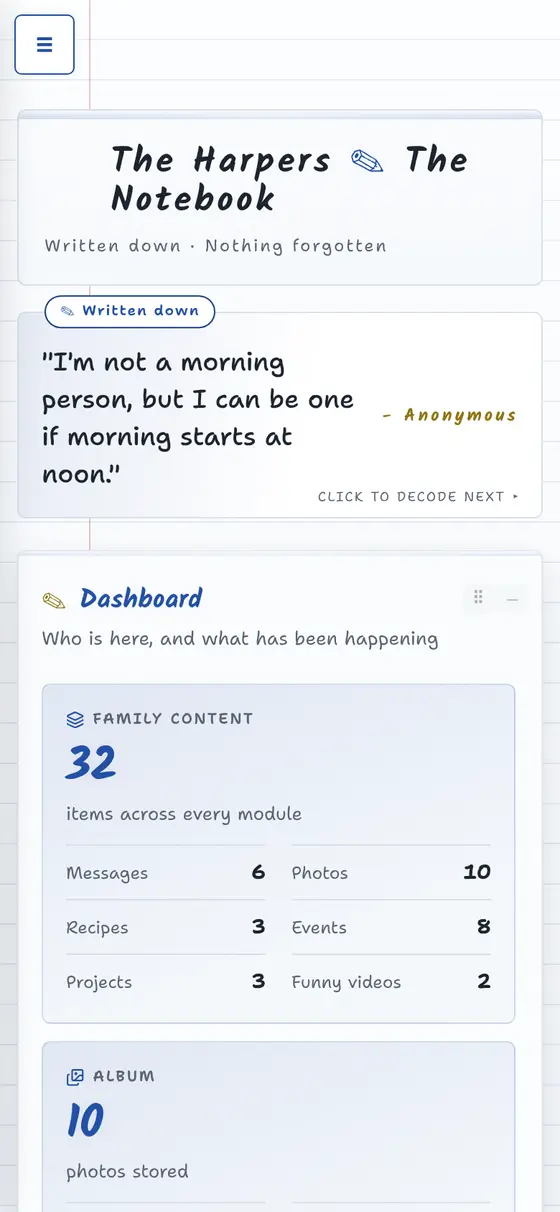
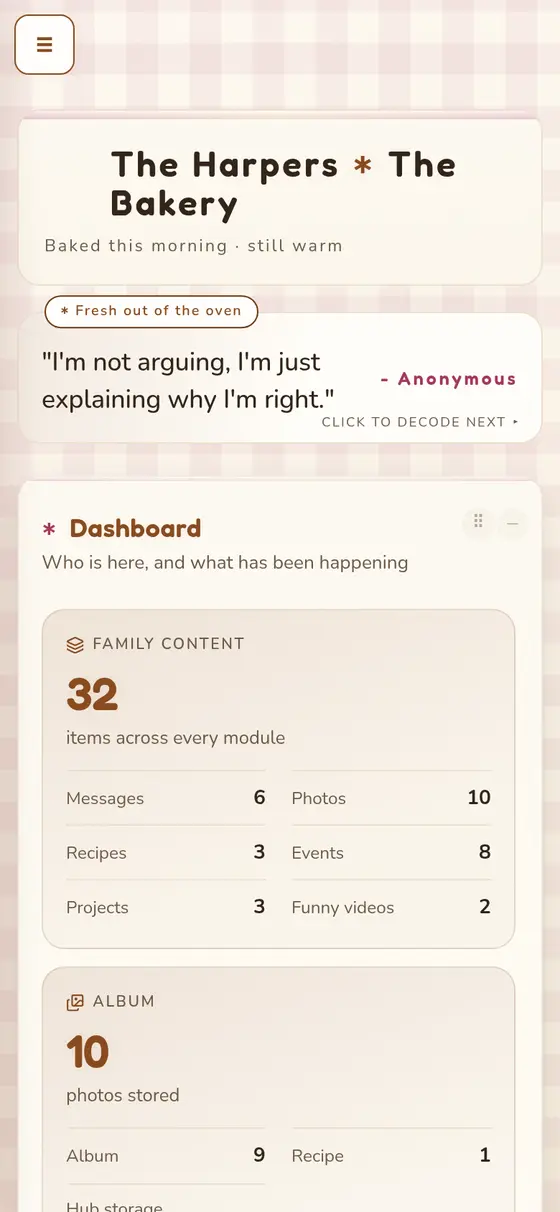
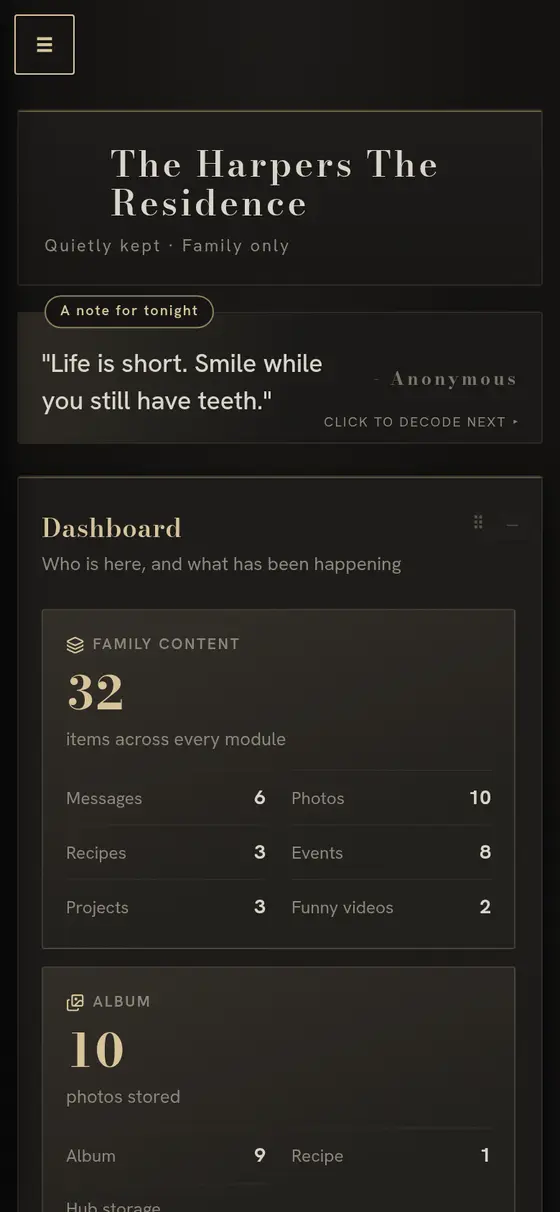
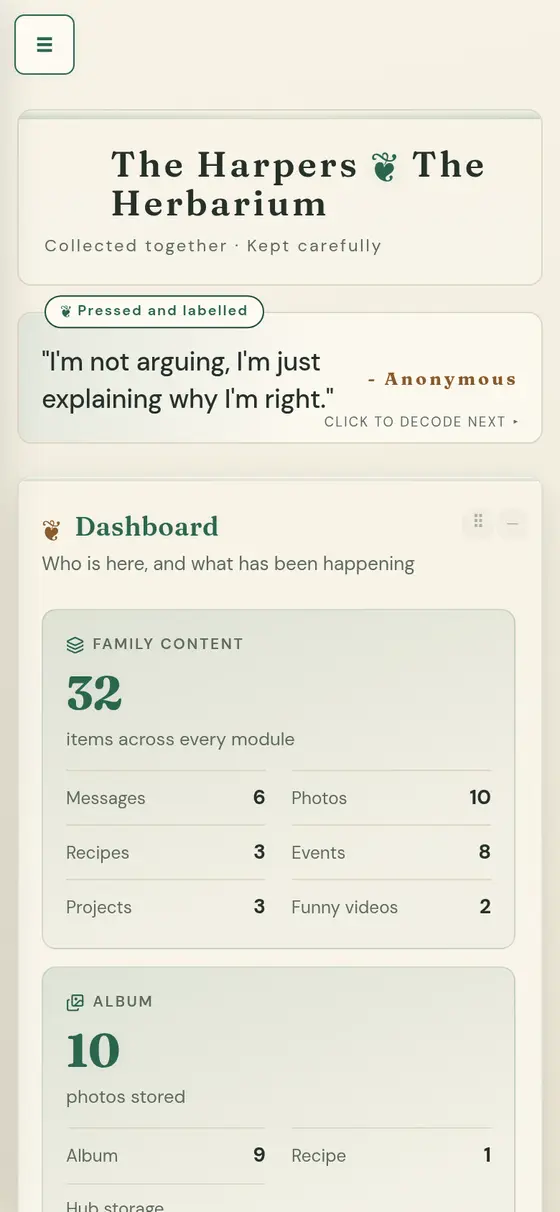
One hub. Five phones, five people, five skins — because the look is each member’s own and travels with their login, not with the family. Open the demo on yours.
Desktop, phone or a frame on the wall
Your dashboard looks its best wherever you put it.
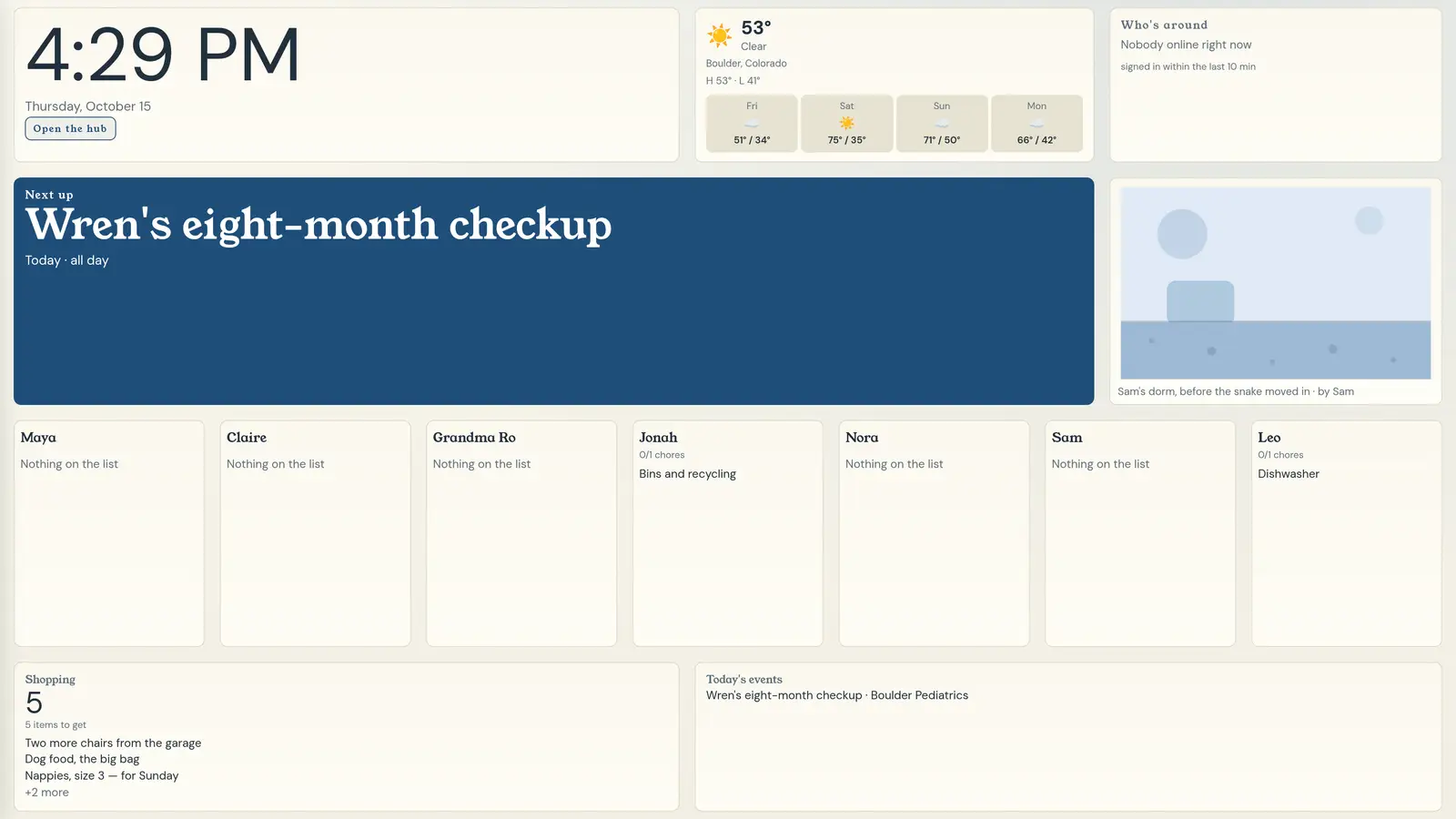
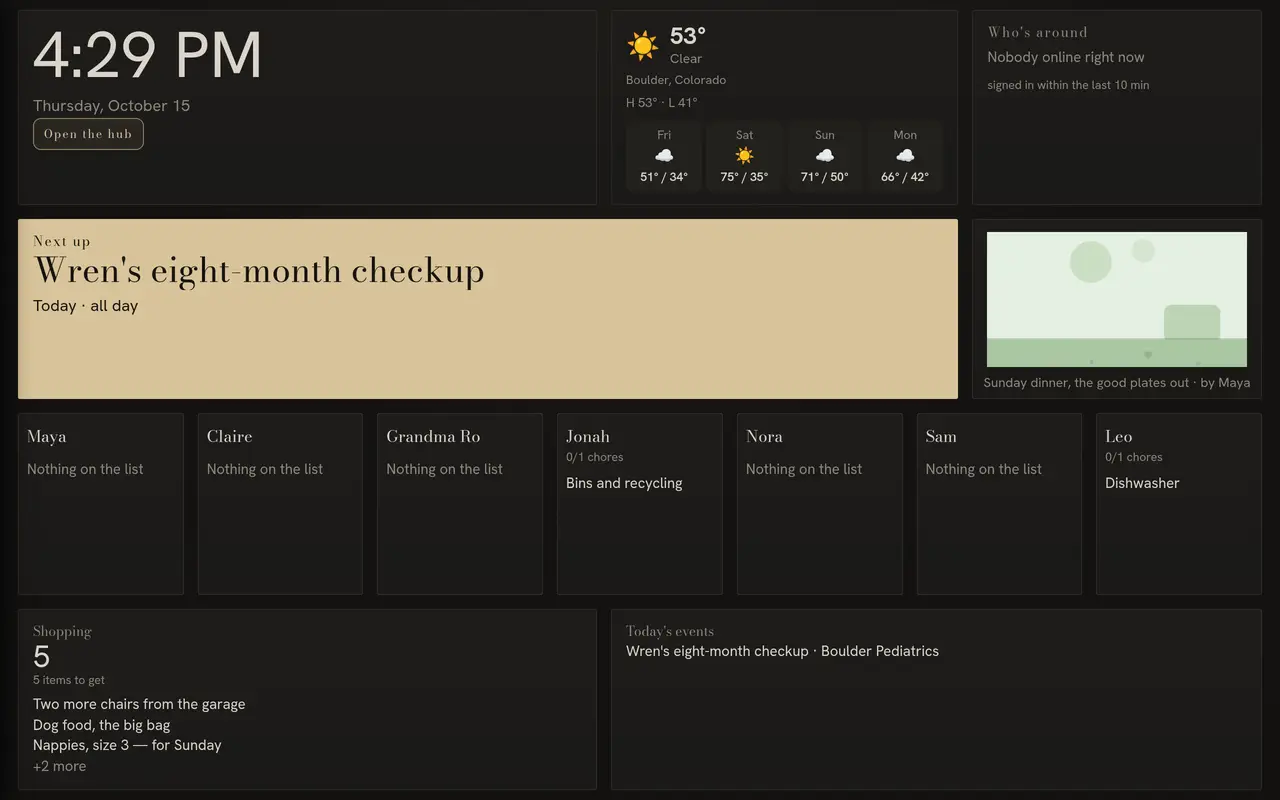
Whether you choose your desktop, your phone or a picture frame in the kitchen, the hub is tuned for that screen — pick the device once under Settings and the day lays itself out to fit. On a frame it wakes up on Today: the time, the weather, who’s driving whom, today’s chores, the shopping list and a photo from the album, on the wall, with nothing to tap.
Built for your desktop and your phone. Tuned for 10.1″ and 15.6″ picture frames, the two most popular Android sizes.
Open your hub’s address on the frame, sign in once, choose the frame size under Settings and hang it up. See Today on the demo.
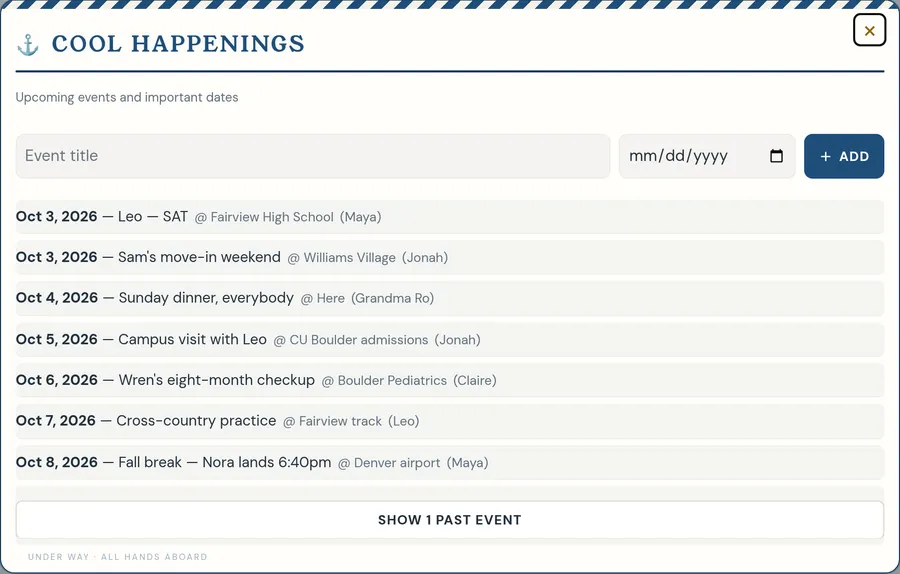
One week everyone can see, from anywhere
Each line says who it belongs to and where it is, and anyone can add to it. When a plan moves, it moves on every screen at once.
- A colour for every person, wherever they sleep tonight
- Countdowns to the flight home, the move-in date, the wedding
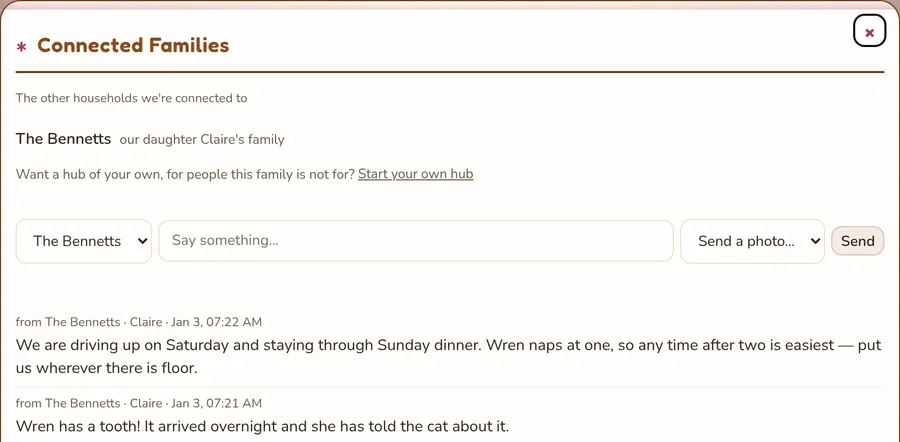
Your daughter’s family gets a hub of their own
Claire and Ben run a hub of their own, at their own address, and the two are connected. Photos and news cross; nothing else does.
- Both owners agree to the link, and either can end it
- What they send is copied into your hub — it becomes yours, and nothing is ever read back across the line
And a senior year to get through in the meantime
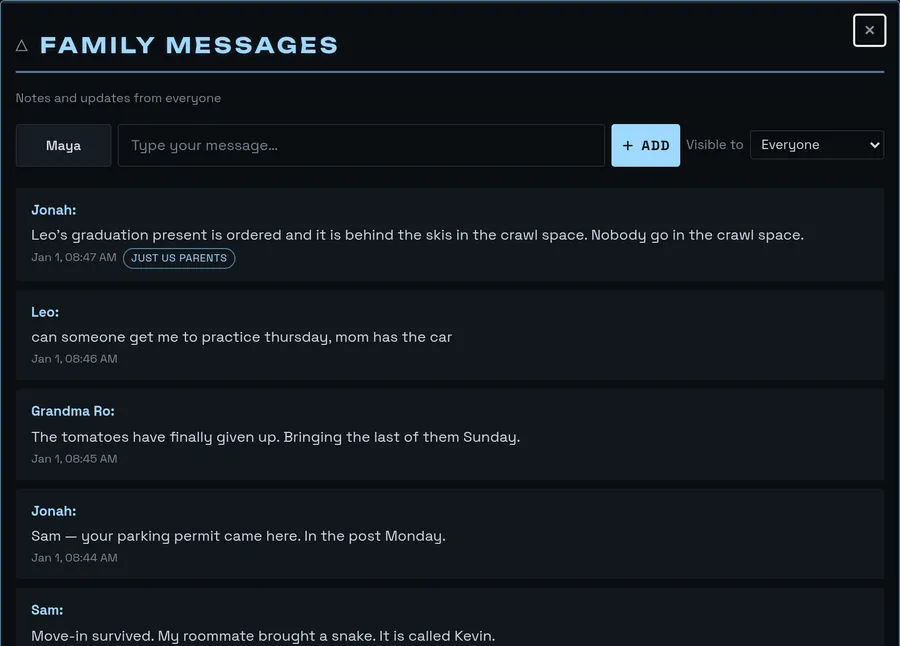
Leo is 17 and the house still runs on rides, practices and one car. He gets a real login, not a corner of yours — and the same week the rest of the family is reading.
- A message board that needs no phone number and no group chat
- Circles: a named group inside the family, so not everything is for everybody — and the owner can see a circle exists, never what is in it
Thirty worlds. Everyone picks their own.
Your freshman runs a neon grid from a dorm room. Your daughter tends a daisy garden between naps. Grandma keeps a cabin with the fire lit. Each theme is a whole personality — its own words, its own type, its own shape — not a coat of paint. Same hub, same messages, same photos underneath.
Up and running before the kettle’s boiled
-
Pick your address
Choose a name and it becomes a real, private web address — yours alone, for as long as you keep the hub. It is the thing you text to the group chat once and never again.
-
Invite them all, near and far
Send each person an invite from Settings — the two at school, the one still at home, the grandparents. A teenager can join with a member name and a password and no email address at all.
-
Link the households that have their own
Your married daughter starts a hub of her own from Settings, and the two are connected with a word from both owners. Photos and news cross the line; nothing else ever does.
Your family’s life is not a product
Latch & Lantern has no feed to grow, no ads to sell and no reason to peek. It is a subscription: you pay for the hub, and that is the whole business model. The first pictures of your grandchild are not inventory.
- One family per address — nothing is shared between families
- Photos and messages go only to signed-in members
- Circles: address a photo, a message, an event, a chore, a ride or a shopping item to some of the family, not all of it — and the owner cannot see into a circle they are not in — except At home, the household’s own circle, whose members any owner sets, and doing so shows in the family’s log
- Connected families send copies, never share — nothing is ever read across the line between two hubs, which is why a grown child can link their household to yours without handing it over
- A young child’s account is made by a parent — a member name and a password, no email address
- No public links to guess, no ads and no ad trackers. Analytics (PostHog) never runs for a child’s account, masks every word and photo in recordings, and never learns your family’s name or address
- Cancel and it’s gone: your hub, your call
One price for the whole family
One plan for the whole family
No per-seat maths, and no rule that they have to sleep under your roof. Thirty people can be in this hub — two at college, one on a couch in another state, both grandmothers — and the bill does not move.
- Every member free, wherever they live — up to thirty of them
- Your own address, yours alone
- Fifteen cards for the whole family: messages, photos, the calendar, chores, meals, the grocery list, family dates, who’s around, connected families and the daily question
- 20 GB for photos, music and clips
- Connect your grown kids’ hubs and the in-laws’ — send things, never share screens
- No card to start. Cancel any time.
- No card at all, and no clock running
Add what your family needs. Card bundles — Kids & Chores, Home & Kitchen, Media, Lists & Beyond — from a couple of dollars a month each. Extra storage in 50 GB packs. And when your grown kids start hubs of their own, you can put them on your bill at a family rate — with their owner’s say-so, which changes who pays and nothing else about their hub.
Start the free trial Create your hub — freeWe’ll remind you before the trial ends. If you do nothing, nothing is charged.
While we’re in early access nobody is charged and nothing expires. We’ll tell you well before that changes.
Get everyone back in one place tonight
It takes about a minute. You become the owner, then invite everyone else from Settings once you’re in — the dorm room, the first apartment, the grandparents, the one still at home.
- 14 days free — we never ask for a card during the trial
- Free while we’re in early access — we never ask for a card
- Your address is reserved the moment you create it
- Works on every phone, tablet and laptop, in every zip code
Create your family hub
Free for 14 days. No card needed.
Free while we’re in early access. No card needed.
You become the owner. Invite everyone else from Settings once you’re in — we never ask for a card during the trial.
You become the owner. Invite everyone else from Settings once you’re in — we never ask for a card at all while we’re in early access.
Fair questions, straight answers
Who can see our photos and messages?
Only signed-in members of your family. There are no public links, no sharing outside the hub, and one family per address — nothing is ever visible between families.
Inside the family you can go narrower with a circle — Grownups, The Cousins, Grandparents. It is honest for everybody, including the person paying: an owner who is not in a circle cannot see into it. They can always see that it exists and who is in it, never what is in it. The one exception is At home, the household’s own circle: any owner sets who is in it, and doing so shows in the family’s log.
What does it cost, and who pays?
One bill per hub, paid by the family that owns it: $9.99/mo after the 14-day free trial. Members never pay, however many of them there are and wherever they live. It renews automatically each month until you cancel.
One bill per hub, paid by the family that owns it — nothing while we’re in early access, $9.99/mo when that ends. Members never pay, however many of them there are and wherever they live. Once billing starts, it renews automatically each month until you cancel.
That buys fifteen cards — Messages, Photos, Calendar, Chores, Grocery List, Meal Planner, Countdowns, Sticky Notes, Polls, Weather, Who’s Around, Connected Families, Emergency Contacts, Family Dates and the Daily Question — all thirty skins, and 20 GB of room for photographs, music and clips.
The other twenty-two cards come in four bundles, $1.99/mo each: Kids & Chores (chore streaks, allowance, kid quotes, kudos, homework), Home & Kitchen (recipes, projects, house manual, pets, rides), Media (music, video clips, podcasts, family radio, family TV, YouTube, funny videos) and Lists & Beyond (reading list, watchlist, wishlists, stocks, Discord). More room comes in 50 GB packs at $2.99/mo. And when your grown kids start hubs of their own you can offer to put them on your bill at $4.99/mo each — their owner has to accept the offer, and it changes who pays and nothing else about their hub.
It’s free? What’s the catch?
There isn’t one. We’re in early access and we’d rather have families using it than money in the door. Nothing is charged, nothing expires, and we don’t take a card. The plan is $9.99/mo for the whole family later — and we’ll tell you well before that starts, not the morning it does.
What happens when the trial ends?
We remind you before it ends. If you subscribe, it’s $9.99/mo for the whole family. If you do nothing, nothing is charged.
Does it work when the kids are away at school?
That is most of what it is for. There is nothing to install: a laptop in a dorm room, a phone in the library and the tablet on your kitchen counter are all the same hub at the same address. They see the family’s week, the photographs, the message board and the question of the day from wherever they are, and nobody has to be added to a group chat to be included.
One honest limit, worth knowing before you invite them: there is no app in any app store and no push notifications yet. A kid who never opens the tab is not going to be nudged by us.
What about the grandparents?
Two shapes, and which one is right depends on how close they are to the day. Invite them into your hub and they are members like anybody else — the calendar, the photographs, the message board, in whichever of the thirty skins they can read most easily. Or they keep a hub of their own and the two are connected, so post travels between you without either household seeing the other’s screen.
One account can belong to several hubs on one password. A grandmother in every grandchild’s hub signs in once and switches between them from the sidebar. Members never pay, however many of them there are, so adding her costs nothing.
Our kids are still small. Is this for us too?
It is. The chores board, the meal plan, the grocery list and the recipe box are most of a Tuesday in a house with young children, and chore streaks, allowance, kudos and kid quotes are in the Kids & Chores bundle. A six-year-old gets a real login made by a parent, with no email address and no phone number anywhere near it.
The reason the rest of this page talks about college and grandchildren is that it is the harder problem and fewer people are solving it. The hub is the same one either way, and it is the one they will still have when they leave.
Can I cancel?
Any time, from Settings, in two clicks. No retention phone call, no “are you sure” maze.
If a payment fails you get seven days to sort it out. After that the hub goes read-only: every photo, message and recipe is still there to look at, nothing new can be added until the card works again. Nothing is deleted for not paying.
Where is it hosted, and who can see it?
On our own server in the United States, behind Cloudflare, encrypted the whole way there and backed up nightly. No ads and no ad trackers. We use PostHog analytics on this public site and, for adults only, inside the hub, never for a child’s account. It stores an anonymous id in your browser, masks all text, form fields and photos in recordings, never sends family names or hub addresses, and honours Do Not Track. Nothing is sold to anybody or used for advertising, and no AI reads your family’s photos or messages — not ours, not anyone else’s.
We can reach the database to fix a fault or restore a backup, which is true of every service you use and we would rather say so than not. The detail is in the Privacy Policy and on the Security page.